Governments and authorities all around the world are trying to control the information flow by putting restrictions or blocking websites in a particular region.
So people are searching for tools like VPN to jump these fences and access the open internet. One of the effective ways to do this is to use Tor Browser.
How does Tor browser work?
In its simplest form, Tor uses a set of nodes — called relays — to mask your identity when you try to visit a website.
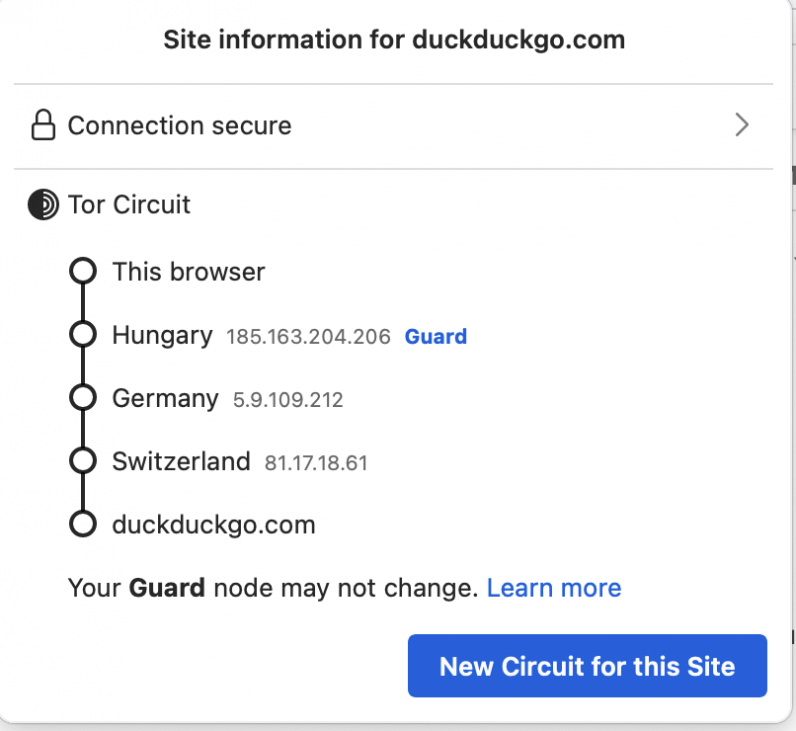
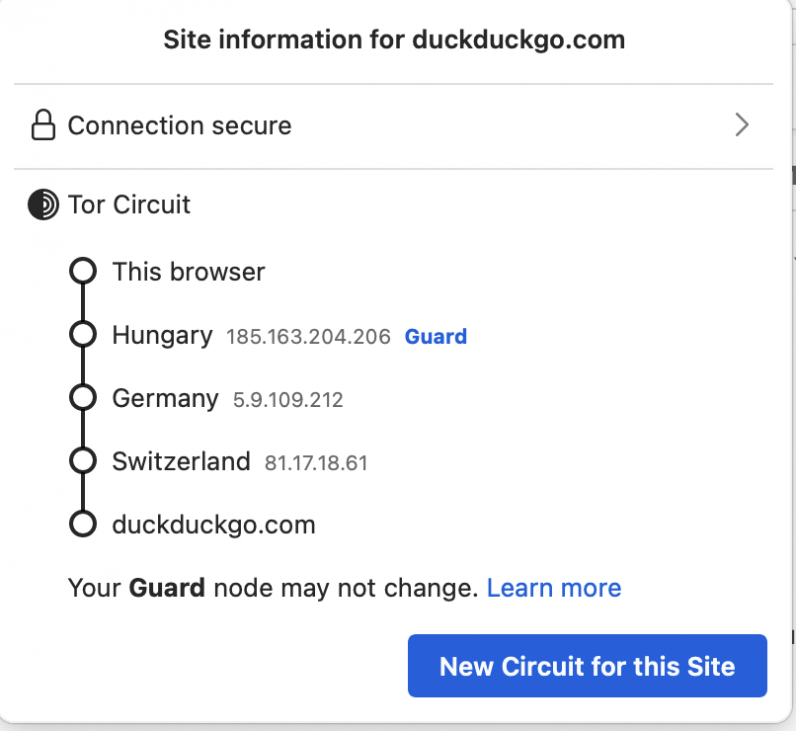
These relays help keep your data private from websites and your Internet Service Provider (ISP). You can see an example of how the Tor network uses nodes while visiting DuckDuckGo in the screengrab below.
By default, this browser doesn’t store your browsing history, and cookies are limited to only one session. So as soon as you close your browser window, your preferences for a website are reset.
With Tor, you can also use onion services sites, which hides the site’s identity from ISPs, to get information. You can browse through this list to check which services have their own .onion websites.
You can download the Tor browser from here.
So where do Tor Bridges come in?
While Tor relays help you hide your traces on the internet, they are publicly listed. So a government could potentially block these IP addresses to stop you from having free access to certain websites.
In this case, you can enable Tor Bridges, and they can help you connect to other relays in the network, and in turn, to censored websites.
Here’s how you can enable Bridges:
- Open the Tor browser on your computer.
- Go to Settings > Tor.
- Scroll down to the Bridges section, and tick the Use a bridge option.
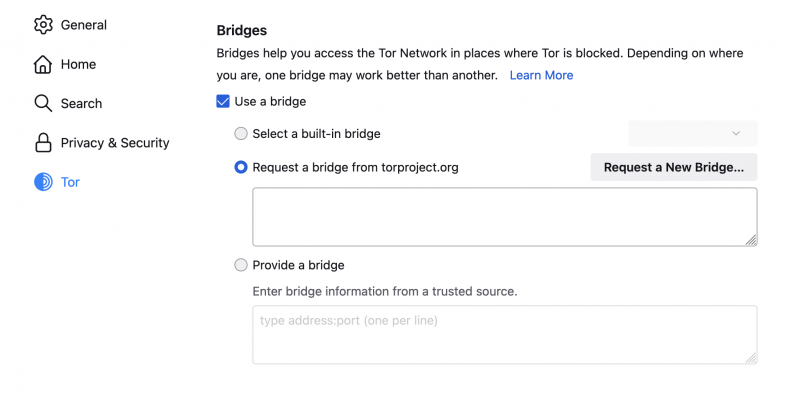
- Now you have a few options to use a bridge. The simplest way is to click on Select a built-in bridge, and select any of the options: obfs4, snowflake, and meek-azure. You can read about what each of these means here.
- Another option is to click on the Request a new bridge from torproject.org option, and connect to a new one that pops up in the window.
- Alternatively, you can visit the Bridges site to manually get a bridge. Once you get a bridge, you can paste it in the Provide a bridge section.
How does Snowflake works?
Snowflake is a censorship circumvention tool that uses WebRTC — a commonly used communication protocol in browsers — to connect to proxies, and help you access websites.
Volunteers can run a Snowflake extension in their Chrome and Firefox browsers, and they’ll act as ephemeral proxy instances. You can read about it in detail here, and look at the diagram below to understand the data flow.
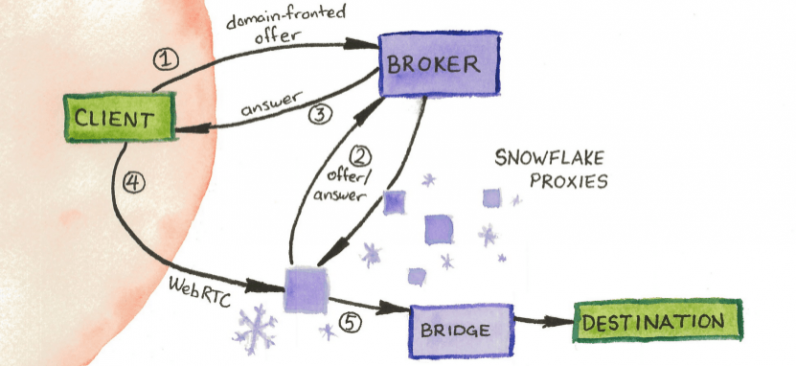
When you use Snowflake, and if one proxy goes down, it automatically connects you to another one, so you don’t have to mess with settings repeatedly.
If you’re a volunteer in a country where the internet is not censored, you can run a Snowflake instance to help others. The first step is to download an extension for Chrome or Firefox from here.
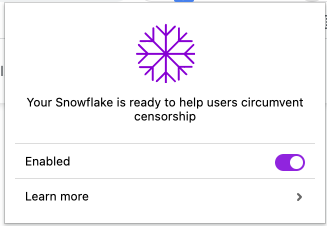
Once you’ve downloaded the extension, it’ll automatically run a Snowflake proxy instance for you. You can disable it any time you want by clicking on the extension and turning off the Enable toggle.
All in all, using Tor and setting up bridges might be somewhat technically challenging, it provides you with a bunch of options in case one doesn’t work. So you don’t have to search for more tools to access information.