
The human body is miraculous. Just take the immune system for example. This adapts to pathogens and viruses, learning how they operate, and changing itself to deal with them. This means that once your immune system has come into contact with an attacker, it’s better prepared in the future.
Because I’m an optimist, this is how I choose to believe computers work too.
Don’t believe all the naysayers out there who claim that a laptop and a body are totally different things and work in utterly different ways. They’re small minded. Getting a virus or malware on your machine won’t damage it long-term, instead it’ll make it stronger. And that’s better than a fact, that’s a belief.
This is why you’ve got to ensure your Mac is brimming with the most vicious and nefarious malware around. The question is this: how do you make that happen? What do you have to do to ensure your computer is sicker than a skater in the 90s?
Luckily for you, we’re here to help you out.
Always download cracked versions of software
When you buy a legitimate app from a respectable company or store, you can be quite certain it won’t come with any malware or viruses lurking around. This won’t do. Not at all. Not one teensy, tiny bit.
To get around this ridiculous state of affairs is easy though: whenever you want a piece of software, pirate it.
Go to as many illegal sites as possible until you find the dodgiest looking cracks of any app and download as many as you can. Think of it like a roulette wheel: the more spins you take, the better chance you have of getting a piece of malware to really get your Mac working hard.
Never, ever update your current software
Change is scary. Change means having to confront difficult, new things. I’m shivering in fear just thinking about it. Instead, if you want to maintain a warm glow throughout your life, you need to keep everything precisely the same.
This goes for software too. Really, what need is there to upgrade your machine’s version of macOS? Or any other bit of software, really?
There’s an old saying that people like each other for their positive attributes, but love one another for their flaws. And, again, I like to think people and computers are the same thing.
So treat your apps like a lover, and adore them for all their bad and rickety and old parts. Even better, this approach leaves loads of gaping security holes on your Mac, so malware and viruses can flow right in. Victory!
Due diligence is for losers
First off, whenever you put your personal information into a site, never check if it’s legit. Yeah, maybe you mistyped “Facebook” so you’re on “Faecbok” instead, that’s fine. Actually, that’s more than fine, that’s perfect.
Put your sensitive data into whatever website there is, never check security certificates, and download whatever they ask you to. And I mean, whatever.
On that note…
Click each link you see — and do what it says
Do you have an adblocker? NOT ANYMORE, PAL! Disable that as soon as possible and, from now on, start clicking on every single advert you see, the more nefarious-seeming the better.
You also get bonus points every time you download a piece of software and successfully install it. That’s a really fantastic way to hoover up as many viruses as possible.
I understand this may be tough to adapt to, so I have some advice. To begin with, to truly thrive in this new world, you need a positive mental attitude.
Never, EVER, question the insane promises the dodgy software is making you. Believe it all, let its gentle reassurance wash over you. Yes, this app will help you find love. Indeed, this other piece of software can help you lose weight and gain muscle. Of course this download is going to help you earn thousands of dollars a month.
It’s true, all of it is true — and if you do this right, your Mac will be overflowing with gorgeous malware.
Only ever connect to public Wi-Fi — and refuse to use a VPN

Remember how technology and nature are the same thing? Good. Listen to this.
You know how the very best, purest water in the world comes straight from the source? Where it rises from springs? Nutritious and vitamin-filled? Well, public Wi-Fi is exactly the same.
You don’t want to use and of these personal and protected networks. No, the best thing for your computer is Wi-Fi that’s free, open, and preferably somewhere you feel you may be attacked.
Whenever you need to do anything on your Mac, make sure you head to the nearest business and connect to an open network. Then, friend, you should do as many sensitive tasks as you can.
Accept every single notification or download request and revel in the joy of malware coming at your Apple machine fast and furious.
Those issues your Mac’s having? They’re fine. They’re totally fine. Really, they’re fine. Don’t worry.
If you’ve been following all the tips above, you’ll start to notice it on your machine.
Maybe it’ll slow down. Maybe it’ll make a lot of noise. Maybe there’ll be weird pop-ups and apps opening all over the place. Maybe macOS will warn you about vulnerabilities Don’t be worried though: this is exactly what you’re looking for.
In fact, don’t actually do anything to solve this, let it run its natural course. All those viruses and bits of malware are making your computer stronger, more able to deal with them in the future. We’re doing this for your Mac, it has to learn.
Whatever you do, don’t download antivirus software
We’re here to make your computer stronger, right? So why bother with antivirus or antimalware software? Let your lovely Mac bubble under the heat. In nature, pressure makes diamonds — and I believe the exact same thing will happen when your Apple computer is filled with malware.
Good luck, friends. I’m rooting for you.
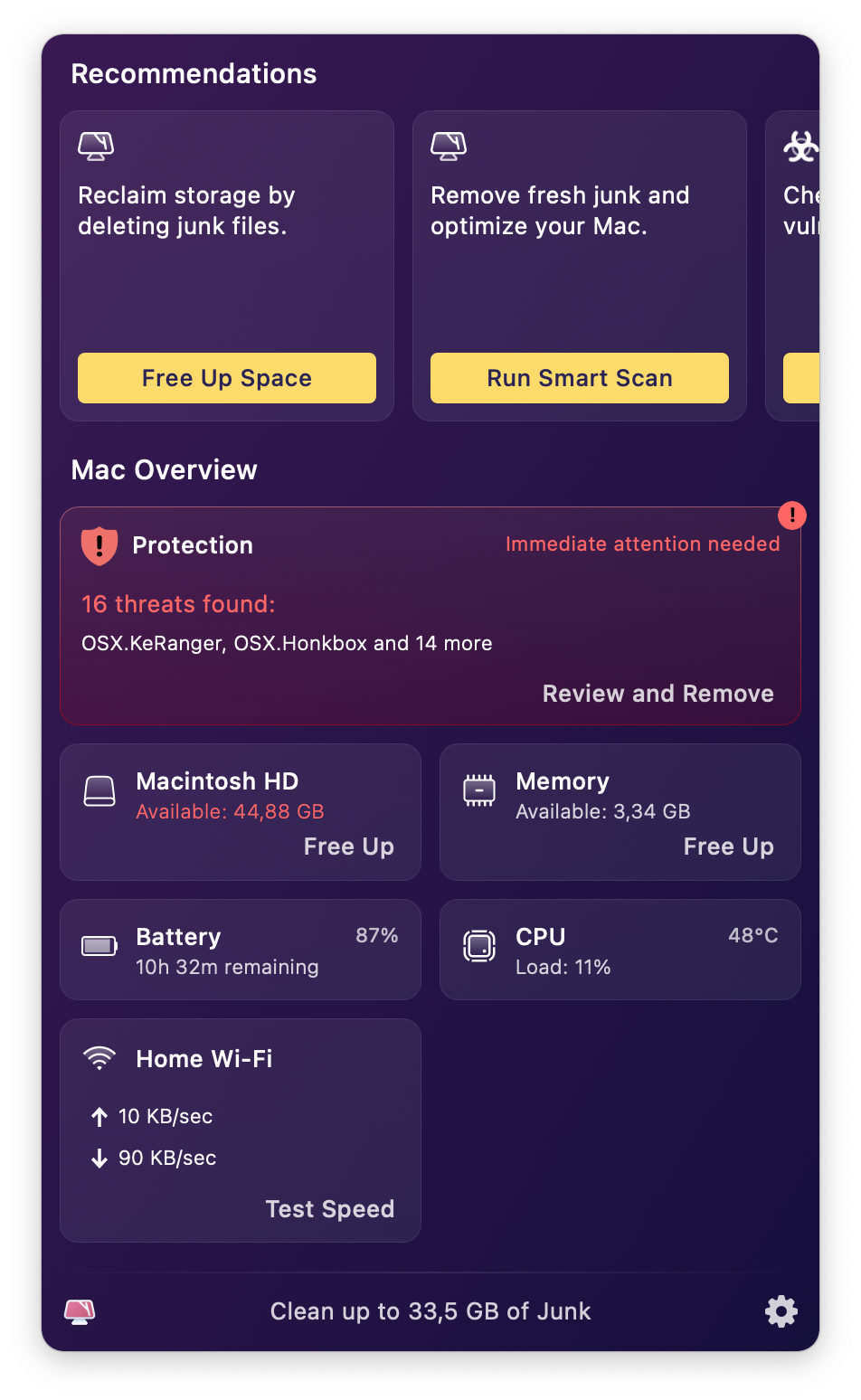
You can download a trial version of CleanMyMacX — an all-in-one app to keep your Mac clean, fast and protected — to check your Mac for vulnerabilities.